
Producto destacado
Convierta las opciones de productos en un estudio de diseño
Las opciones de calculadora impulsan un editor de pantalla completa: vista previa en vivo, diseños de clientes y archivos listos para imprimir en cada pedido.
- Full-screen design studio — customers add text, clipart, shapes, and images on a real artboard, then save before add to cart.
- Built-in photo editor — crop, filter, enhance, annotate, and swap backgrounds on uploaded photos — no separate app.
- Calculator-driven canvas — size, material, pattern, and finish options update the design live through canvas bindings.
- Production-ready output — proof PNG, print-ready PNG with bleed, cut-line SVG, canvas JSON, and a production manifest.
- International-ready — fully translatable editor UI, same multi-language workflow as the rest of your calculator.
Prueba el diseñador




Todo lo que los clientes necesitan para construir y diseñar
Activa solo las herramientas que quieras usar: texto, imágenes prediseñadas, subidas, formas, marcos, dibujar, capas, recortar, ajustes finos y filtros.
- Text with web fonts — size, color, bold/italic/underline, alignment, and a word-wrapping text box.
- Clipart library — searchable categories plus your own uploaded graphics, curated per calculator.
- Image upload — customers add extra images; you control file types, size limits, and labels.
- Shapes — rectangle, circle, ellipse, line, arrow, star, polygon with stroke and fill controls.
- Frames & masks — borders, drop shadows, and shape-clip masks including custom PNG masks.
- Draw & annotate — freehand, arrows, lines, callouts, eraser, and redact/blur for markup.
- Layers panel — drag to reorder, show/hide, and delete; hidden layers stay out of proofs and print files.
- Crop — aspect presets and orientation for reframing uploads or the artboard.
- Finetune & Filter — slider adjustments plus one-tap preset looks on selected images.
Más de 10 efectos de materiales de vista previa incorporados

Vinilo Brillante

Hielo agrietado

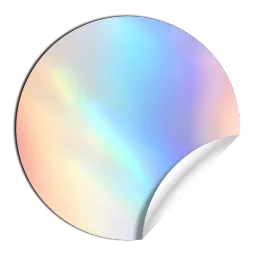
Holográfico

Holo Ice

Espejo

Prismatic

Pixidust

Transparente

Purpurina

Oro

Producto destacado
Los clientes de vista previa en vivo pueden confiar
Muestra acabados, maquetas y vistas previas de materiales transparentes en el lienzo, sin incorporarlos a los archivos de impresión.
- Preview mode — toggle product mockup overlay while designing; preview layers never export to print.
- Product scenes — nine-slice frame mockups (mug, sign, frame) fixed or per material choice.
- Finish effects — Glossy, Matte, Glitter, Prismatic, Cracked Ice, or custom overlay images.
- Clear sticker preview — transparent background + cut-edge outline so clear vinyl reads correctly.
- Customer access profiles — Full editing, Product preview, or Display only (read-only confirmation).
Pruebe el Diseñador
Producto destacado
Previsualización del fondo de pantalla a escala real
Ancho de panel, modos de repetición y panorámica — diseñado para rollos, murales y patrones repetitivos.
- True-scale wall preview — artboard matches real wall dimensions from calculator options.
- Repeat modes — horizontal roll, grid tile, no-repeat mural, or locked roll wallpaper grid.
- Panel width — one printed panel width drives seam guides and pattern repeat.
- Pan the pattern — Drag image layout; lock horizontal-only pan for roll wallpaper.
- Show panels — green vertical lines at panel seams across the artboard.
- Options + preview profile — wall size follows the calculator; customer only positions the pattern.

Cuando los clientes necesitan diseñarlo, no solo configurarlo
Impresión, señalización, gráficos, promoción
🖨️ Pancartas, carteles, calcomanías, letras de vinilo
🏷️ Pegatinas y etiquetas (tamaños/formas personalizados + niveles de cantidad)
📏 Impresión de gran formato (pies cuadrados/pies lineales + acabados + urgencia)
🎪 Exposiciones comerciales, stands, letreros rígidos
📦 Embalajes y cajas personalizados (dimensiones + material + impresión)
👕 Impresión de ropa y merchandising (prenda + área de impresión + colores + cantidad)
💍 Joyería con grabado + metal + piedras + personalizaciones
🖥️ Kits personalizados y sistemas configurados (componentes + servicios + tarifas)
Construcción / comercio / adyacente a B2B
🏗️ Materiales de construcción con precios por tamaño, paquete o partidas de proyecto
🔌 Piezas eléctricas, de fontanería y de climatización con grandes matrices de opciones
🦺 Equipo de seguridad con impresión + precios por volumen/nivel
Alimentos e ingredientes (vendidos por peso/volumen)
⚖️ Alimentos a granel, café, té, especias, caramelos (vendidos por peso/volumen)
🥩 Charcutería / queso / carne por peso (donde las regulaciones lo permitan)
🫙 Aceites, líquidos, productos químicos (precios basados en el volumen)
Hecho a medida / basado en el tamaño
🪟 Persianas, estores, contraventanas, cortinas, cortinajes
🚪 Ventanas y puertas a medida, cristal, mosquiteras
🟫 Suelos, moqueta, azulejos, césped artificial, felpudos
🪨 Encimeras, piedra/losa, salpicaderos
🪵 Madera, molduras, remates, tableros (contrachapado, acrílico, paneles metálicos)
🏡 Cercas, barandillas, terrazas, portones
🏊 Piscinas, revestimientos, cubiertas (tamaño + opciones)
🛏️ Colchones, espuma, cojines (medidas personalizadas)
Fabricación
⚙️ Fabricación de metal, corte láser, chorro de agua, piezas CNC
🪚 Carpintería y ebanistería (tamaños + materiales + mejoras personalizados)
🧩 Fabricación de plástico/acrílico
🧱 Servicios de impresión 3D (material + configuración + precios basados en volumen/tiempo)
🔩 Piezas mecanizadas (material + tolerancias + descuentos por volumen)
Muebles y artículos grandes
🛋️ Muebles personalizados (dimensiones + materiales + mejoras)
🪑 Configuraciones de mobiliario de oficina (módulos + acabados + servicios)

Prueba la función de edición de imágenes
Editor de fotos del cliente — en tu escaparate
Recorte, mejore, anote e intercambie fondos en las fotos cargadas antes de que compren.
- Crop with aspect presets — Drag selection (move crop window) or Drag image (pan photo in frame).
- Finetune sliders — brightness, contrast, blur, HSL on the selected image.
- Filter presets — one-tap looks distinct from manual finetune adjustments.
- Frames & masks — borders, shadows, and shape clips on the upload.
- Change background — swap the base photo or set a solid color backdrop; overlays stay in place.
- Multiple uploads — each file keeps its own edited state; switch between uploads in one session.
- Done saves back — edited image replaces the original upload when the customer clicks Done.
Pegatinas troqueladas — del diseño al archivo de corte
Rastreo automático, formas preestablecidas y exportación de SVG de línea de corte para calcomanías, etiquetas y rótulos.
- Preset cut shapes — rectangle, rounded, circle, star mapped from calculator swatches.
- Auto die-cut — traces opaque artwork to build a contour path for kiss-cut / die-cut vinyl.
- Cut-line SVG export — vector trim path on every saved order, aligned to the artboard.
- Trim guide on canvas — black dashed outline shows the active cut line while designing.
- Pair with clear preview — transparent background + cut edge for clear sticker shops.


Tus opciones de calculadora impulsan el lienzo, en vivo
Conecte el ancho, el material, la forma y los patrones directamente a la mesa de trabajo, sin necesidad de actualizar o ajustar manualmente el tamaño.
- Artboard size from options — width, height, or per-choice size chart; also from pricing variables.
- Background from options — solid color or image per swatch (fill, tile, stretch, transparent).
- Cut line from options — rectangle, rounded, circle, star, or auto die-cut trace from artwork.
- Product & variant image on canvas — from Shopify variant image, metafield, or URL; map a different image per choice.
- Bleed & safe zone from options — fixed or option-driven margins.
- Live price in the editor — calculator options and total stay visible in Designer mode right panel.
Eliminación de fondo con IA, integrada
Permita a los clientes recortar sujetos en la tienda; el uso se factura a los créditos de IA de su tienda.
- One-click cutout — Remove background appears when a single image is selected.
- Transparent cost confirm — customer sees estimated AI credit cost before processing.
- Keep or Undo — reject a poor cutout without being stuck with it.
- Print-quality compositing — result composited at full resolution for production output.
- Size-based tiers — automatic quality tier from image dimensions (Small / Standard / Premium).


Anverso y reverso — una sesión, dos diseños
Tarjetas de presentación, letreros de jardín, ropa — los clientes diseñan ambos lados y guardan una vez.
- Front / Back toggle — independent layers per side; shared artboard size and cut-line.
- Back orientation — mirror or flip horizontal so the back aligns with the front.
- Separate bindings per side — different background, product image, or right-panel options on each face.
- Separate order outputs — Design Files page lists front and back proof, print, cut, and JSON downloads.
Archivos listos para imprimir en cada pedido, no pruebas por correo electrónico
Un enlace de archivos de diseño por línea de artículo: prueba, impresión, línea de corte, manifiesto y fuente editable.
- Proof PNG — always generated; thumbnail on the button and verification image on the order.
- Print-ready PNG with bleed — full-resolution export at your configured DPI (default 300).
- Production manifest (HTML) — layer positions, sizes, calculator choices, and structured data for fulfillment.
- Design Files page — single visible cart property; staff download everything from one link.
- Production notes — optional customer comment attaches as Production Notes on the order.
- Front & back outputs — separate proof, print, cut, and JSON sections per side when double-sided is enabled.


Revisión de diseño antes de guardar
Paso de aprobación opcional: los clientes confirman que han revisado el diseño antes de pagar.
- Review Design button — replaces Save until the customer completes review.
- Review instructions — rich text you author (same editor as option instructions).
- Approval checkbox — “I have reviewed and approve my design” required before final save.
- Keep Editing — return to the canvas without losing work.
Sus activos de marca, en manos del cliente
Fuentes de Google más fuentes de marca cargadas; imágenes prediseñadas estándar más su propia biblioteca de tienda.
- Custom font gallery — upload WOFF/WOFF2/TTF/OTF; per-calculator allowlist and exclusions.
- Searchable font picker — each option rendered in its own typeface on the storefront.
- Custom clipart library — upload PNG/SVG by category; exclude items per calculator.
- Built-in categories — Popular, Holiday, Nature, Graphics, and more out of the box.
- Text defaults — set default font, size, color, and text box width for new text layers.


Sangrado, zona segura, regla y cuadrícula — en el lienzo
Ayude a los clientes a diseñar según las especificaciones de impresión, no a adivinar las líneas de corte.
- Ruler — edge tick marks in inches, feet, cm, mm, or px; grid and snap follow the same units.
- Grid & snap-to-grid — optional overlay for precise alignment.
- Bleed guide — cyan outline for bleed margin outside trim.
- Safe zone guide — green inset so logos and text stay trim-safe.
- Person silhouette — ~5′4″ scale figure for large-format size reference.
- Low-resolution warnings — alerts when an upload isn’t sharp enough for the print size at your configured DPI.
Alinea, organiza y edita con confianza
Controles profesionales del lienzo — sin enviar a los clientes a un software de diseño de escritorio.
- Align, nudge, duplicate, flip & rotate — top toolbar when one or more elements are selected.
- Multi-select — Shift+click to align or move groups together.
- Undo & redo — full canvas history so customers can experiment safely.
- Zoom & pan — mouse wheel, fit-to-view, Space+drag, and Fit to Design in one click.
- Dark / light theme — customer toggle in the editor; you set the default.
- Re-edit before checkout — customers can reopen and fix the design before add to cart.
